Chapter 8: Memory Management
第八章:记忆管理
Effective memory management is crucial for intelligent agents to retain information. Agents require different types of memory, much like humans, to operate efficiently. This chapter delves into memory management, specifically addressing the immediate (short-term) and persistent (long-term) memory requirements of agents.
有效的记忆管理能让智能体留存信息,并在后续交互中加以利用。与人类类似,智能体也需要不同类型的记忆机制才能高效运转。本章聚焦记忆管理,分别讨论即时的
短期记忆与持久的长期记忆。
In agent systems, memory refers to an agent's ability to retain and utilize information from past interactions, observations, and learning experiences. This capability allows agents to make informed decisions, maintain conversational context, and improve over time. Agent memory is generally categorized into two main types:
记忆让智能体能够做出更有依据的决策、维持对话上下文,并随着经验不断改进。通常,智能体记忆可分为两大类:
- Short-Term Memory (Contextual Memory): Similar to working memory, this holds information currently being processed or recently accessed. For agents using large language models (LLMs), short-term memory primarily exists within the context window. This window contains recent messages, agent replies, tool usage results, and agent reflections from the current interaction, all of which inform the LLM's subsequent responses and actions. The context window has a limited capacity, restricting the amount of recent information an agent can directly access. Efficient short-term memory management involves keeping the most relevant information within this limited space, possibly through techniques like summarizing older conversation segments or emphasizing key details. The advent of models with 'long context' windows simply expands the size of this short-term memory, allowing more information to be held within a single interaction. However, this context is still ephemeral and is lost once the session concludes, and it can be costly and inefficient to process every time. Consequently, agents require separate memory types to achieve true persistence, recall information from past interactions, and build a lasting knowledge base.
- Long-Term Memory (Persistent Memory): This acts as a repository for information agents need to retain across various interactions, tasks, or extended periods, akin to long-term knowledge bases. Data is typically stored outside the agent's immediate processing environment, often in databases, knowledge graphs, or vector databases. In vector databases, information is converted into numerical vectors and stored, enabling agents to retrieve data based on semantic similarity rather than exact keyword matches, a process known as semantic search. When an agent needs information from long-term memory, it queries the external storage, retrieves relevant data, and integrates it into the short-term context for immediate use, thus combining prior knowledge with the current interaction.
- 短期记忆(情境记忆): 类似工作记忆,用来承载当前正在处理或刚刚接触的信息。对基于大语言模型(LLM)的智能体来说,短期记忆主要体现在上下文窗口中:其中包含近期
用户消息、智能体回复、工具返回结果以及当轮反思等内容,为后续生成与行动提供依据。上下文窗口的容量有限,因此管理重点在于保留最相关的信息,例如对较早的
对话做摘要,或突出关键事实。「长上下文」模型只是扩大了这一工作区,但内容仍会在会话结束后消失;而且每次都把全部内容送入模型,通常也成本高、效率低。因此,若要实现真正的跨会话持久化、历史召回和知识沉淀,仍然需要长期记忆等机制。
- 长期记忆(持久记忆): 用于在
多次交互、多个任务乃至更长时间范围内保留信息,作用类似长期知识库。数据通常存放在智能体即时计算环境之外,例如关系型/文档型数据库、知识图谱或向量数据库。在向量数据库中,文本等内容会被编码成向量(embedding) 存储,从而支持按语义相似度检索,而不只是关键词匹配(即语义搜索)。当需要调用长期记忆时,智能体会查询外部存储,把检索到的相关片段写回短期上下文,从而将历史知识与当前对话结合起来。
Practical Applications & Use Cases
实践场景与用例
Memory management is vital for agents to track information and perform intelligently over time. This is essential for agents to surpass basic question-answering capabilities. Applications include:
记忆管理让智能体能够持续跟踪信息,并在更长时间尺度上保持稳定表现。对于一次性问答,记忆也许还不是刚需;但只要涉及更复杂的代理行为,它几乎就是基础设施。典型应用包括:
- Chatbots and Conversational AI: Maintaining conversation flow relies on short-term memory. Chatbots require remembering prior user inputs to provide coherent responses. Long-term memory enables chatbots to recall user preferences, past issues, or prior discussions, offering personalized and continuous interactions.
- Task-Oriented Agents: Agents managing multi-step tasks need short-term memory to track previous steps, current progress, and overall goals. This information might reside in the task's context or temporary storage. Long-term memory is crucial for accessing specific user-related data not in the immediate context.
- Personalized Experiences: Agents offering tailored interactions utilize long-term memory to store and retrieve user preferences, past behaviors, and personal information. This allows agents to adapt their responses and suggestions.
- Learning and Improvement: Agents can refine their performance by learning from past interactions. Successful strategies, mistakes, and new information are stored in long-term memory, facilitating future adaptations. Reinforcement learning agents store learned strategies or knowledge in this way.
- Information Retrieval (RAG): Agents designed for answering questions access a knowledge base, their long-term memory, often implemented within Retrieval Augmented Generation (RAG). The agent retrieves relevant documents or data to inform its responses.
- Autonomous Systems: Robots or self-driving cars require memory for maps, routes, object locations, and learned behaviors. This involves short-term memory for immediate surroundings and long-term memory for general environmental knowledge.
- 聊天机器人与对话式 AI: 对话连贯依赖短期记忆,需要记住先前的用户输入才能前后呼应。长期记忆则可召回偏好、历史工单或旧话题,支撑个性化与连续服务。
- 任务导向智能体: 多步任务依赖短期记忆来跟踪已完成步骤、当前进度和总体目标(可存放在任务上下文或临时存储中)。长期记忆则用于调取未载入当前上下文的用户数据。
- 个性化体验: 借助长期记忆保存并检索用户偏好、行为轨迹与画像信息,使回复与推荐更贴合个人。
- 学习与改进: 从历次交互中沉淀成功经验、失败教训与新事实,并写入长期记忆,以便日后调整策略;在强化学习场景中,也常把学到的策略或知识保存在外部记忆中。
- 信息检索(RAG): 面向问答的智能体往往把知识库当作长期记忆,并通过检索增强生成(RAG) 在回答前检索相关文档或结构化数据,再与生成模型结合。
- 自主系统: 机器人或自动驾驶系统需要地图、路径、物体位置以及已学习行为等信息;短期记忆对应局部感知与即时决策,长期记忆对应环境模型与可复用规则。
Memory enables agents to maintain history, learn, personalize interactions, and manage complex, time-dependent problems.
记忆让智能体能够维护历史、持续学习、实现个性化交互,并处理带有时间维度的复杂问题。
Hands-On Code: Memory Management in Google Agent Developer Kit (ADK)
动手代码:在 Google Agent Developer Kit(ADK)中管理记忆
The Google Agent Developer Kit (ADK) offers a structured method for managing context and memory, including components for practical application. A solid grasp of ADK's Session, State, and Memory is vital for building agents that need to retain information.
ADK 以结构化方式管理上下文与记忆,并提供可直接落地的组件。要构建具备持续记忆能力的智能体,首先需要理清
Session、State与Memory三者的职责分工。
Just as in human interactions, agents require the ability to recall previous exchanges to conduct coherent and natural conversations. ADK simplifies context management through three core concepts and their associated services.
就像人与人交流需要记得前文一样,智能体也需要回忆此前的往来,对话才会显得连贯、自然。ADK 用三个核心概念及配套服务,把上下文管理这件事拆开并简化。
Every interaction with an agent can be considered a unique conversation thread. Agents might need to access data from earlier interactions. ADK structures this as follows:
可以把每一次与智能体的交互看作一条独立的对话线程;有时系统还需要引用更早会话中的数据。ADK 中对应的抽象如下:
- Session: An individual chat thread that logs messages and actions (Events) for that specific interaction, also storing temporary data (State) relevant to that conversation.
- State (
session.state): Data stored within a Session, containing information relevant only to the current, active chat thread. - Memory: A searchable repository of information sourced from various past chats or external sources, serving as a resource for data retrieval beyond the immediate conversation.
- Session: 单条聊天线程,记录该轮交互中的消息与动作(Events),并承载与这段对话相关的临时数据(State)。
- State(
session.state): 附着在 Session 内,只描述当前这条活跃线程的运行时数据。- Memory: 可检索的长期知识存储层,内容可来自历史多轮会话或外部系统,用于在当前对话之外取数、补全背景。
ADK provides dedicated services for managing critical components essential for building complex, stateful, and context-aware agents. The SessionService manages chat threads (Session objects) by handling their initiation, recording, and termination, while the MemoryService oversees the storage and retrieval of long-term knowledge (Memory).
ADK 提供专门的服务来支撑复杂、有状态、具备情境感知能力的智能体:
SessionService负责会话的创建、事件追加与收尾;MemoryService负责长期知识(Memory)的写入与检索。
Both the SessionService and MemoryService offer various configuration options, allowing users to choose storage methods based on application needs. In-memory options are available for testing purposes, though data will not persist across restarts. For persistent storage and scalability, ADK also supports database and cloud-based services.
两者都支持多种后端实现:内存版便于本地开发和测试(进程重启即丢);在需要持久化与横向扩展时,也可对接数据库或托管云服务。
Session: Keeping Track of Each Chat
Session:为每条对话留痕
A Session object in ADK is designed to track and manage individual chat threads. Upon initiation of a conversation with an agent, the SessionService generates a Session object, represented as google.adk.sessions.Session. This object encapsulates all data relevant to a specific conversation thread, including unique identifiers (id, app\_name, user\_id), a chronological record of events as Event objects, a storage area for session-specific temporary data known as state, and a timestamp indicating the last update (last\_update\_time). Developers typically interact with Session objects indirectly through the SessionService. The SessionService is responsible for managing the lifecycle of conversation sessions, which includes initiating new sessions, resuming previous sessions, recording session activity (including state updates), identifying active sessions, and managing the removal of session data. The ADK provides several SessionService implementations with varying storage mechanisms for session history and temporary data, such as the InMemorySessionService, which is suitable for testing but does not provide data persistence across application restarts.
ADK 中的
Session用来表示并跟踪单条聊天线程。开启对话时,SessionService会创建google.adk.sessions.Session,其中封装了该线程的标识(id、app_name、user_id)、按时间排序的Event序列、会话级临时 state,以及last_update_time等元数据。应用代码通常不会直接手动构造
Session,而是通过SessionService间接操作;后者负责会话的整个生命周期,包括新建、恢复、追加事件(含 state 变更)、列举活动会话和删除会话数据等。ADK 内置了多种SessionService实现,例如InMemorySessionService适合开发与联调,但不会在应用重启后保留数据。
# Example: Using InMemorySessionService
# This is suitable for local development and testing where data
# persistence across application restarts is not required.
from google.adk.sessions import InMemorySessionService
session_service = InMemorySessionService()
示例:本地开发与测试可选用
InMemorySessionService(应用重启后数据不保留)。
Then there's DatabaseSessionService if you want reliable saving to a database you manage.
若要把会话可靠地落到数据库中,可使用
DatabaseSessionService:配置数据库 URL(如 SQLite、PostgreSQL),并安装google-adk[sqlalchemy]及相应数据库驱动。
# Example: Using DatabaseSessionService
# This is suitable for production or development requiring persistent storage.
# You need to configure a database URL (e.g., for SQLite, PostgreSQL, etc.).
# Requires: pip install google-adk[sqlalchemy] and a database driver (e.g., psycopg2 for PostgreSQL)
from google.adk.sessions import DatabaseSessionService
# Example using a local SQLite file:
db_url = "sqlite:///./my_agent_data.db"
session_service = DatabaseSessionService(db_url=db_url)
Besides, there's VertexAiSessionService which uses Vertex AI infrastructure for scalable production on Google Cloud.
另有
VertexAiSessionService,依托 Google Cloud 上的 Vertex AI 基础设施,适合可扩展的生产部署;需要安装google-adk[vertexai]并完成 GCP 配置与鉴权。调用各 API 时,app_name应与 Reasoning Engine 的资源标识保持一致。
# Example: Using VertexAiSessionService
# This is suitable for scalable production on Google Cloud Platform, leveraging
# Vertex AI infrastructure for session management.
# Requires: pip install google-adk[vertexai] and GCP setup/authentication

from google.adk.sessions import VertexAiSessionService


PROJECT_ID = "your-gcp-project-id"  # Replace with your GCP project ID
LOCATION = "us-central1"  # Replace with your desired GCP location

# The app_name used with this service should correspond to the Reasoning Engine ID or name
REASONING_ENGINE_APP_NAME = (
    "projects/your-gcp-project-id/locations/us-central1/reasoningEngines/your-engine-id"
)  # Replace with your Reasoning Engine resource name

session_service = VertexAiSessionService(project=PROJECT_ID, location=LOCATION)

# When using this service, pass REASONING_ENGINE_APP_NAME to service methods:
# session_service.create_session(app_name=REASONING_ENGINE_APP_NAME, ...)
# session_service.get_session(app_name=REASONING_ENGINE_APP_NAME, ...)
# session_service.append_event(session, event, app_name=REASONING_ENGINE_APP_NAME)
# session_service.delete_session(app_name=REASONING_ENGINE_APP_NAME, ...)
Choosing an appropriate SessionService is crucial as it determines how the agent's interaction history and temporary data are stored and their persistence.
选择哪种
SessionService,会直接决定交互历史与临时数据如何落盘,以及能否跨重启保留。
Each message exchange involves a cyclical process: A message is received, the Runner retrieves or establishes a Session using the SessionService, the agent processes the message using the Session's context (state and historical interactions), the agent generates a response and may update the state, the Runner encapsulates this as an Event, and the session\_service.append\_event method records the new event and updates the state in storage. The Session then awaits the next message. Ideally, the delete\_session method is employed to terminate the session when the interaction concludes. This process illustrates how the SessionService maintains continuity by managing the Session-specific history and temporary data.
每一轮消息往来大致都会形成一个固定闭环:收到用户消息 →
Runner通过SessionService取得或创建Session→ 智能体在 state 与历史上下文中推理与行动 → 生成回复并可能更新 state →Runner将结果封装为新的Event,再由session_service.append_event落库。交互结束时,通常应调用
delete_session做清理。通过这一机制,SessionService用「会话专属历史 + 临时 state」把整段连续体验串起来。
State: The Session's Scratchpad
State:会话级「草稿本」
In the ADK, each Session, representing a chat thread, includes a state component akin to an agent's temporary working memory for the duration of that specific conversation. While session.events logs the entire chat history, session.state stores and updates dynamic data points relevant to the active chat.
在 ADK 中,每个代表聊天线程的
Session都带有一块state,可理解为这段对话存续期间的临时工作记忆:session.events保存完整聊天记录,而session.state则承载那些会随对话推进不断更新、并与当前任务强相关的动态字段。
Fundamentally, session.state operates as a dictionary, storing data as key-value pairs. Its core function is to enable the agent to retain and manage details essential for coherent dialogue, such as user preferences, task progress, incremental data collection, or conditional flags influencing subsequent agent actions.
本质上,
session.state是一个字典结构,用键值对保存运行时数据,以支撑连贯对话——例如用户偏好、任务进度、分步收集中的中间结果,或影响下一步行为的分支标记等。
The state’s structure comprises string keys paired with values of serializable Python types, including strings, numbers, booleans, lists, and dictionaries containing these basic types. State is dynamic, evolving throughout the conversation. The permanence of these changes depends on the configured SessionService.
键为字符串,值可以是可序列化的 Python 标量,以及这些标量组成的列表或嵌套字典。state 会随着对话推进不断变化,能否跨重启保留则完全取决于所选的
SessionService实现。
State organization can be achieved using key prefixes to define data scope and persistence. Keys without prefixes are session-specific.
- The user: prefix associates data with a user ID across all sessions.
- The app: prefix designates data shared among all users of the application.
- The temp: prefix indicates data valid only for the current processing turn and is not persistently stored.
推荐使用键前缀区分作用域与生命周期:无前缀表示仅本会话可见;
user:绑定到用户 ID,可跨会话复用;app:在应用全局共享;temp:只对当前推理或工具调用轮次有效,通常不做持久化。
The agent accesses all state data through a single session.state dictionary. The SessionService handles data retrieval, merging, and persistence. State should be updated upon adding an Event to the session history via session\_service.append\_event(). This ensures accurate tracking, proper saving in persistent services, and safe handling of state changes.
智能体侧只会看到合并后的单一
session.state视图;真正的读取、合并与落盘由SessionService完成。务必在调用session_service.append_event()追加Event时一并提交 state 变更,这样事件流、持久化存储与并发语义才能保持一致。
1. The Simple Way: Using output\_key (for Agent Text Replies)
1. 简单做法:用
output_key落盘智能体文本回复
This is the easiest method if you just want to save your agent's final text response directly into the state. When you set up your LlmAgent, just tell it the output_key you want to use. The Runner sees this and automatically creates the necessary actions to save the response to the state when it appends the event. Let's look at a code example demonstrating state update via output\_key.
如果只想把智能体的最终文本回复写进 state,可以在配置
LlmAgent时声明output_key。Runner在调用append_event时会自动附带相应的state_delta,无需手写合并逻辑。下面的示例展示了这一路径。
# Import necessary classes from the Google Agent Developer Kit (ADK)
from google.adk.agents import LlmAgent
from google.adk.sessions import InMemorySessionService, Session
from google.adk.runners import Runner
from google.genai.types import Content, Part


# Define an LlmAgent with an output_key.
greeting_agent = LlmAgent(
 name="Greeter",
 model="gemini-2.0-flash",
 instruction="Generate a short, friendly greeting.",
 output_key="last_greeting",
)


# --- Setup Runner and Session ---
app_name, user_id, session_id = "state_app", "user1", "session1"

session_service = InMemorySessionService()

runner = Runner(
    agent=greeting_agent,
    app_name=app_name,
    session_service=session_service,
)

session = session_service.create_session(
    app_name=app_name,
    user_id=user_id,
    session_id=session_id,
)

print(f"Initial state: {session.state}")


# --- Run the Agent ---
user_message = Content(parts=[Part(text="Hello")])

print("\n--- Running the agent ---")
for event in runner.run(
    user_id=user_id,
    session_id=session_id,
    new_message=user_message,
):
    if event.is_final_response():
        print("Agent responded.")


# --- Check Updated State ---
# Correctly check the state after the runner has finished processing all events.
updated_session = session_service.get_session(app_name, user_id, session_id)
print(f"\nState after agent run: {updated_session.state}")
Behind the scenes, the Runner sees your output\_key and automatically creates the necessary actions with a state\_delta when it calls append\_event.
幕后机制是:
Runner解析到output_key后,会在append_event流程中自动注入携带state_delta的动作,把模型输出写回 state。
2. The Standard Way: Using EventActions.state\_delta (for More Complicated Updates)
2. 标准做法:使用
EventActions.state_delta(复杂更新)
For times when you need to do more complex things – like updating several keys at once, saving things that aren't just text, targeting specific scopes like user: or app:, or making updates that aren't tied to the agent's final text reply – you'll manually build a dictionary of your state changes (the state\_delta) and include it within the EventActions of the Event you're appending. Let's look at one example:
当需要一次更新多个键、写入非字符串结构、显式写入
user:/app:等不同作用域,或这些变更与模型最终文本没有直接对应关系时,就应手工构造state_delta,并在待追加的Event的EventActions中一并提交。示例如下:
import time

from google.adk.tools.tool_context import ToolContext
from google.adk.sessions import InMemorySessionService


# --- Define the Recommended Tool-Based Approach ---
def log_user_login(tool_context: ToolContext) -> dict:
    """
    Updates the session state upon a user login event.
    This tool encapsulates all state changes related to a user login.

    Args:
        tool_context: Automatically provided by ADK, gives access to session state.

    Returns:
        A dictionary confirming the action was successful.
    """
    # Access the state directly through the provided context.
    state = tool_context.state

    # Get current values or defaults, then update the state.
    # This is much cleaner and co-locates the logic.
    login_count = state.get("user:login_count", 0) + 1
    state["user:login_count"] = login_count
    state["task_status"] = "active"
    state["user:last_login_ts"] = time.time()
    state["temp:validation_needed"] = True

    print("State updated from within the `log_user_login` tool.")

    return {
        "status": "success",
        "message": f"User login tracked. Total logins: {login_count}.",
    }


# --- Demonstration of Usage ---
# In a real application, an LLM Agent would decide to call this tool.
# Here, we simulate a direct call for demonstration purposes.

# 1. Setup
session_service = InMemorySessionService()
app_name, user_id, session_id = "state_app_tool", "user3", "session3"

session = session_service.create_session(
    app_name=app_name,
    user_id=user_id,
    session_id=session_id,
    state={"user:login_count": 0, "task_status": "idle"},
)

print(f"Initial state: {session.state}")

# 2. Simulate a tool call (in a real app, the ADK Runner does this)
# We create a ToolContext manually just for this standalone example.
from google.adk.tools.tool_context import InvocationContext

mock_context = ToolContext(
    invocation_context=InvocationContext(
        app_name=app_name,
        user_id=user_id,
        session_id=session_id,
        session=session,
        session_service=session_service,
    )
)

# 3. Execute the tool
log_user_login(mock_context)

# 4. Check the updated state
updated_session = session_service.get_session(app_name, user_id, session_id)
print(f"State after tool execution: {updated_session.state}")

# Expected output will show the same state change as the "Before" case,
# but the code organization is significantly cleaner and more robust.
This code demonstrates a tool-based approach for managing user session state in an application. It defines a function log_user_login, which acts as a tool. This tool is responsible for updating the session state when a user logs in.
The function takes a ToolContext object, provided by the ADK, to access and modify the session's state dictionary. Inside the tool, it increments a user:login_count, sets the task_status to "active", records the user:last_login_ts (timestamp), and adds a temporary flag temp:validation_needed.
该示例演示了「把状态变更封装进工具」的做法:
log_user_login会在用户登录事件触发时集中更新 state。借助 ADK 注入的ToolContext,工具可以直接读写同一套state字典——示例中会递增user:login_count、将task_status置为active、写入user:last_login_ts,并打上仅当轮有效的temp:validation_needed。
The demonstration part of the code simulates how this tool would be used. It sets up an in-memory session service and creates an initial session with some predefined state. A ToolContext is then manually created to mimic the environment in which the ADK Runner would execute the tool. The log\_user\_login function is called with this mock context. Finally, the code retrieves the session again to show that the state has been updated by the tool's execution. The goal is to show how encapsulating state changes within tools makes the code cleaner and more organized compared to directly manipulating state outside of tools.
演示部分模拟了真实调用路径:先搭建内存版
SessionService与带初始 state 的会话,再手工拼装ToolContext,以贴近Runner注入的上下文;执行log_user_login后,再通过get_session检查变更是否生效。其要点在于:把对 state 的修改收敛在工具实现中,比在业务外层直接改字典更清晰,也更便于测试与演进。
Note that direct modification of the session.state dictionary after retrieving a session is strongly discouraged as it bypasses the standard event processing mechanism. Such direct changes will not be recorded in the session's event history, may not be persisted by the selected SessionService, could lead to concurrency issues, and will not update essential metadata such as timestamps. The recommended methods for updating the session state are using the output\_key parameter on an LlmAgent (specifically for the agent's final text responses) or including state changes within EventActions.state\_delta when appending an event via session\_service.append\_event(). The session.state should primarily be used for reading existing data.
注意: 在
get_session之后直接修改session.state是强烈不推荐的:这会绕过标准事件管线,导致事件日志缺项、部分后端无法正确持久化,并放大并发下的不一致风险,相关元数据(如更新时间)也不会被维护。更稳妥的做法,是使用LlmAgent.output_key(面向最终文本)或在session_service.append_event()中通过EventActions.state_delta提交变更;在业务代码里,session.state更适合作为只读视图。
To recap, when designing your state, keep it simple, use basic data types, give your keys clear names and use prefixes correctly, avoid deep nesting, and always update state using the append_event process.
小结:state 设计应尽量保持扁平、类型尽量基础、键名自解释且前缀语义明确,并避免过深嵌套;任何写入都应走
append_event这一正规通道。
Memory: Long-Term Knowledge with MemoryService
Memory:借助 MemoryService 维护长期知识
In agent systems, the Session component maintains a record of the current chat history (events) and temporary data (state) specific to a single conversation. However, for agents to retain information across multiple interactions or access external data, long-term knowledge management is necessary. This is facilitated by the MemoryService.
Session负责单条会话线程内的事件流(events)与临时 state;若要在多次会话之间保留信息,或对接外部知识源,就需要单独的长期知识层——在 ADK 中,这一职责由MemoryService承担。
# Example: Using InMemoryMemoryService
# This is suitable for local development and testing where data
# persistence across application restarts is not required.
# Memory content is lost when the app stops.

from google.adk.memory import InMemoryMemoryService

memory_service = InMemoryMemoryService()
示例:
InMemoryMemoryService适合本地开发和快速验证;一旦进程或应用停止,其中内容就不会保留。
Session and State can be conceptualized as short-term memory for a single chat session, whereas the Long-Term Knowledge managed by the MemoryService functions as a persistent and searchable repository. This repository may contain information from multiple past interactions or external sources. The MemoryService, as defined by the BaseMemoryService interface, establishes a standard for managing this searchable, long-term knowledge. Its primary functions include adding information, which involves extracting content from a session and storing it using the add_session_to_memory method, and retrieving information, which allows an agent to query the store and receive relevant data using the search_memory method.
可以把
Session+State理解为单会话维度的短期工作记忆;而由MemoryService托管的长期知识,则是一个可持久、可检索的外部仓库,内容既可来自历史多轮对话,也可来自批量导入的外部语料。
BaseMemoryService抽象出一套统一契约:add_session_to_memory用来抽取会话中的要点并写入长期记忆,search_memory则供运行中的智能体按查询召回相关片段。
The ADK offers several implementations for creating this long-term knowledge store. The InMemoryMemoryService provides a temporary storage solution suitable for testing purposes, but data is not preserved across application restarts. For production environments, the VertexAiRagMemoryService is typically utilized. This service leverages Google Cloud's Retrieval Augmented Generation (RAG) service, enabling scalable, persistent, and semantic search capabilities (Also, refer to the chapter 14 on RAG).
ADK 内置了多种实现:
InMemoryMemoryService仍然是内存态,适合联调与单元测试;在生产环境中,更常见的是VertexAiRagMemoryService——它对接 Google Cloud 上的 RAG(检索增强生成) 管线,兼顾可扩展部署、持久化存储与基于向量相似度的语义检索能力(细节可参考本书第 14 章关于 RAG 的讨论)。
# Example: Using VertexAiRagMemoryService
# This is suitable for scalable production on GCP, leveraging
# Vertex AI RAG (Retrieval Augmented Generation) for persistent,
# searchable memory.
# Requires: pip install google-adk[vertexai], GCP
# setup/authentication, and a Vertex AI RAG Corpus.

from google.adk.memory import VertexAiRagMemoryService


# The resource name of your Vertex AI RAG Corpus
RAG_CORPUS_RESOURCE_NAME = (
    "projects/your-gcp-project-id/locations/us-central1/ragCorpora/your-corpus-id"
)  # Replace with your Corpus resource name

# Optional configuration for retrieval behavior
SIMILARITY_TOP_K = 5  # Number of top results to retrieve
VECTOR_DISTANCE_THRESHOLD = 0.7  # Threshold for vector similarity

memory_service = VertexAiRagMemoryService(
    rag_corpus=RAG_CORPUS_RESOURCE_NAME,
    similarity_top_k=SIMILARITY_TOP_K,
    vector_distance_threshold=VECTOR_DISTANCE_THRESHOLD,
)

# When using this service, methods like add_session_to_memory
# and search_memory will interact with the specified Vertex AI
# RAG Corpus.
在这套配置下,
add_session_to_memory与search_memory的实际读写,都会落到指定的 Vertex AI RAG Corpus 上完成。
Hands-on code: Memory Management in LangChain and LangGraph
动手代码:在 LangChain / LangGraph 中管理记忆
In LangChain and LangGraph, Memory is a critical component for creating intelligent and natural-feeling conversational applications. It allows an AI agent to remember information from past interactions, learn from feedback, and adapt to user preferences. LangChain's memory feature provides the foundation for this by referencing a stored history to enrich current prompts and then recording the latest exchange for future use. As agents handle more complex tasks, this capability becomes essential for both efficiency and user satisfaction.
在 LangChain 与 LangGraph 生态中,Memory(记忆) 是实现自然多轮对话的关键能力:它让智能体能够引用过往交互、吸收反馈并调整偏好。LangChain 的经典做法,是把历史消息注入提示模板,同时在每轮结束后把新内容写回存储——这为更复杂的多轮任务打下了上下文基础。
Short-Term Memory: This is thread-scoped, meaning it tracks the ongoing conversation within a single session or thread. It provides immediate context, but a full history can challenge an LLM's context window, potentially leading to errors or poor performance. LangGraph manages short-term memory as part of the agent's state, which is persisted via a checkpointer, allowing a thread to be resumed at any time.
Long-Term Memory: This stores user-specific or application-level data across sessions and is shared between conversational threads. It is saved in custom "namespaces" and can be recalled at any time in any thread. LangGraph provides stores to save and recall long-term memories, enabling agents to retain knowledge indefinitely.
短期记忆: 作用域通常是单个线程(thread),用于跟踪该线程内的连续对话;它能即时提供上下文,但若把完整历史一股脑塞进提示,容易触达模型上下文窗口上限,引发截断、幻觉或性能问题。LangGraph 把这部分视作图状态的一部分,并可通过 checkpointer 做持久化,从而在任意时刻恢复线程。
长期记忆: 跨会话保存用户级或应用级数据,并在多条线程之间共享;一般落在自定义的「命名空间」下,任何线程在需要时都能检索。LangGraph 的 store 抽象负责长期记忆的写入与查询,使知识得以跨天、跨周保留。
LangChain provides several tools for managing conversation history, ranging from manual control to automated integration within chains.
ChatMessageHistory: Manual Memory Management. For direct and simple control over a conversation's history outside of a formal chain, the ChatMessageHistory class is ideal. It allows for the manual tracking of dialogue exchanges.
LangChain 提供了从「完全手工」到「链内自动拼接」的多层对话历史工具。 ChatMessageHistory: 当你暂时不想搭建完整 Chain,只想在代码中显式维护消息列表时,这是最轻量的选择。
from langchain.memory import ChatMessageHistory


# Initialize the history object
history = ChatMessageHistory()

# Add user and AI messages
history.add_user_message("I'm heading to New York next week.")
history.add_ai_message("Great! It's a fantastic city.")

# Access the list of messages
print(history.messages)
示例:创建
ChatMessageHistory,手动追加用户与助手消息,最后打印内部消息列表。
ConversationBufferMemory: Automated Memory for Chains. For integrating memory directly into chains, ConversationBufferMemory is a common choice. It holds a buffer of the conversation and makes it available to your prompt. Its behavior can be customized with two key parameters:
memory\_key: A string that specifies the variable name in your prompt that will hold the chat history. It defaults to "history".return\_messages: A boolean that dictates the format of the history.- If
False(the default), it returns a single formatted string, which is ideal for standard LLMs. - If
True, it returns a list of message objects, which is the recommended format for Chat Models.
ConversationBufferMemory: 这是在 Chain 中挂载记忆的常见默认方案,会在内存里维护完整对话缓冲,并在提示中暴露。两个关键参数是:
memory_key,用来指定提示模板里的占位变量名(默认history);return_messages,用来控制返回形态:False时会拼成一段纯文本,适合老式补全式 LLM;True时返回结构化的BaseMessage列表,更适合搭配 Chat 模型。
from langchain.memory import ConversationBufferMemory


# Initialize memory
memory = ConversationBufferMemory()

# Save a conversation turn
memory.save_context(
    {"input": "What's the weather like?"},
    {"output": "It's sunny today."},
)

# Load the memory as a string
print(memory.load_memory_variables({}))
示例:用
save_context写入一轮「输入—输出」对,再用load_memory_variables取出可供模板渲染的变量字典。
Integrating this memory into an LLMChain allows the model to access the conversation's history and provide contextually relevant responses
把上述 memory 挂到
LLMChain上后,模型在每一轮推理时都能看到累积历史,从而给出与上下文一致的答复。
from langchain_openai import OpenAI
from langchain.chains import LLMChain
from langchain.prompts import PromptTemplate
from langchain.memory import ConversationBufferMemory


# 1. Define LLM and Prompt
llm = OpenAI(temperature=0)

template = """You are a helpful travel agent.
Previous conversation: {history}
New question: {question}
Response:"""
prompt = PromptTemplate.from_template(template)

# 2. Configure Memory
# The memory_key "history" matches the variable in the prompt
memory = ConversationBufferMemory(memory_key="history")

# 3. Build the Chain
conversation = LLMChain(llm=llm, prompt=prompt, memory=memory)

# 4. Run the Conversation
response = conversation.predict(question="I want to book a flight.")
print(response)

response = conversation.predict(question="My name is Sam, by the way.")
print(response)

response = conversation.predict(question="What was my name again?")
print(response)
For improved effectiveness with chat models, it is recommended to use a structured list of message objects by setting return_messages=True .
面向 Chat 模型时,最好打开
return_messages=True,让记忆以消息对象流的形式进入MessagesPlaceholder,从而避免手工拼接字符串带来的格式错位。
from langchain_openai import ChatOpenAI
from langchain.chains import LLMChain
from langchain.memory import ConversationBufferMemory
from langchain_core.prompts import (
    ChatPromptTemplate,
    MessagesPlaceholder,
    SystemMessagePromptTemplate,
    HumanMessagePromptTemplate,
)


# 1. Define Chat Model and Prompt
llm = ChatOpenAI()

prompt = ChatPromptTemplate(
    messages=[
        SystemMessagePromptTemplate.from_template("You are a friendly assistant."),
        MessagesPlaceholder(variable_name="chat_history"),
        HumanMessagePromptTemplate.from_template("{question}"),
    ]
)

# 2. Configure Memory
# return_messages=True is essential for chat models
memory = ConversationBufferMemory(memory_key="chat_history", return_messages=True)

# 3. Build the Chain
conversation = LLMChain(llm=llm, prompt=prompt, memory=memory)

# 4. Run the Conversation
response = conversation.predict(question="Hi, I'm Jane.")
print(response)

response = conversation.predict(question="Do you remember my name?")
print(response)
示例:
ChatPromptTemplate+MessagesPlaceholder与return_messages=True的ConversationBufferMemory组合,构成典型的多轮 Chat 链路基座。
Types of Long-Term Memory: Long-term memory allows systems to retain information across different conversations, providing a deeper level of context and personalization. It can be broken down into three types analogous to human memory:
- Semantic Memory: Remembering Facts: This involves retaining specific facts and concepts, such as user preferences or domain knowledge. It is used to ground an agent's responses, leading to more personalized and relevant interactions. This information can be managed as a continuously updated user "profile" (a JSON document) or as a "collection" of individual factual documents.
- Episodic Memory: Remembering Experiences: This involves recalling past events or actions. For AI agents, episodic memory is often used to remember how to accomplish a task. In practice, it's frequently implemented through few-shot example prompting, where an agent learns from past successful interaction sequences to perform tasks correctly.
- Procedural Memory: Remembering Rules: This is the memory of how to perform tasks—the agent's core instructions and behaviors, often contained in its system prompt. It's common for agents to modify their own prompts to adapt and improve. An effective technique is "Reflection," where an agent is prompted with its current instructions and recent interactions, then asked to refine its own instructions.
长期记忆的三种常见形态:
- 语义记忆(Semantic,记「事实」): 存放稳定的事实与概念,例如用户偏好、业务领域知识。实现上可以是持续合并的用户画像 JSON,也可以是一组可检索的事实文档,用来为模型输出提供事实锚定。
- 情景记忆(Episodic,记「经历」): 对应「上次发生了什么、当时是怎么做的」。在智能体场景中,常体现为可复用的任务轨迹;工程上多见 few-shot 示例库,从历史成功的交互序列中抽样提供给模型。
- 程序性记忆(Procedural,记「规则」): 描述「应当如何行动」,即核心指令、策略与行为规范,通常体现在系统提示或智能体配置中。更进一步的做法,是让模型根据近期表现进行反思(Reflection) 并改写自身指令,使行为随时间自我校准。
Below is pseudo-code demonstrating how an agent might use reflection to update its procedural memory stored in a LangGraph BaseStore
下面是一段伪代码,演示智能体如何通过「反思」循环,更新存放在 LangGraph
BaseStore里的程序性记忆(即代理指令):
# Node that updates the agent's instructions
def update_instructions(state: State, store: BaseStore):
    namespace = ("instructions",)

    # Get the current instructions from the store
    current_instructions = store.search(namespace)[0]

    # Create a prompt to ask the LLM to reflect on the conversation
    # and generate new, improved instructions
    prompt = prompt_template.format(
        instructions=current_instructions.value["instructions"],
        conversation=state["messages"],
    )

    # Get the new instructions from the LLM
    output = llm.invoke(prompt)
    new_instructions = output["new_instructions"]

    # Save the updated instructions back to the store
    store.put(("agent_instructions",), "agent_a", {"instructions": new_instructions})


# Node that uses the instructions to generate a response
def call_model(state: State, store: BaseStore):
    namespace = ("agent_instructions",)

    # Retrieve the latest instructions from the store
    instructions = store.get(namespace, key="agent_a")[0]

    # Use the retrieved instructions to format the prompt
    prompt = prompt_template.format(
        instructions=instructions.value["instructions"]
    )
    # ... application logic continues
LangGraph stores long-term memories as JSON documents in a store. Each memory is organized under a custom namespace (like a folder) and a distinct key (like a filename). This hierarchical structure allows for easy organization and retrieval of information. The following code demonstrates how to use InMemoryStore to put, get, and search for memories.
LangGraph 倾向把长期记忆建模为 JSON 文档:每条记录都挂在某个自定义
namespace(类似目录)以及唯一的key(类似文件名)之下,便于分层管理与权限隔离。下面的例子演示内存版InMemoryStore的put、get与search用法。
from langgraph.store.memory import InMemoryStore


# A placeholder for a real embedding function
def embed(texts: list[str]) -> list[list[float]]:
    # In a real application, use a proper embedding model
    return [[1.0, 2.0] for _ in texts]


# Initialize an in-memory store. For production, use a database-backed store.
store = InMemoryStore(index={"embed": embed, "dims": 2})

# Define a namespace for a specific user and application context
user_id = "my-user"
application_context = "chitchat"
namespace = (user_id, application_context)

# 1. Put a memory into the store
store.put(
    namespace,
    "a-memory",  # The key for this memory
    {
        "rules": [
            "User likes short, direct language",
            "User only speaks English & python",
        ],
        "my-key": "my-value",
    },
)

# 2. Get the memory by its namespace and key
item = store.get(namespace, "a-memory")
print("Retrieved Item:", item)

# 3. Search for memories within the namespace, filtering by content
# and sorting by vector similarity to the query.
items = store.search(
    namespace,
    filter={"my-key": "my-value"},
    query="language preferences",
)
print("Search Results:", items)
示例:注册一个占位的
embed函数后,就可以在同一namespace下写入结构化记忆、按 key 精确读取,并结合过滤条件与查询向量做相似度排序检索。
Vertex Memory Bank
Vertex Memory Bank
Memory Bank, a managed service in the Vertex AI Agent Engine, provides agents with persistent, long-term memory. The service uses Gemini models to asynchronously analyze conversation histories to extract key facts and user preferences.
Memory Bank 是 Vertex AI Agent Engine 提供的托管长期记忆服务:后台可异步调用 Gemini 系列模型梳理完整对话,从中抽取关键事实与用户偏好,并写入可检索存储。
This information is stored persistently, organized by a defined scope like user ID, and intelligently updated to consolidate new data and resolve contradictions. Upon starting a new session, the agent retrieves relevant memories through either a full data recall or a similarity search using embeddings. This process allows an agent to maintain continuity across sessions and personalize responses based on recalled information.
数据会持久化保存,并按用户 ID 等显式作用域分区;当新信息与旧记忆冲突时,服务会尝试合并并消解歧义。
开启新会话时,代理既可以做全量回忆,也可以仅基于查询向量做 Top-K 相似检索,从而在跨会话场景中保持连贯,并根据召回内容调整个性化策略。
The agent's runner interacts with the VertexAiMemoryBankService, which is initialized first. This service handles the automatic storage of memories generated during the agent's conversations. Each memory is tagged with a unique USER_ID and APP_NAME, ensuring accurate retrieval in the future.
运行时,
Runner会在启动阶段注入VertexAiMemoryBankService,由它在对话过程中自动沉淀记忆片段;每条记录都会打上USER_ID、APP_NAME等标签,保证后续检索不会串用户,也不会串应用。
from google.adk.memory import VertexAiMemoryBankService


agent_engine_id = agent_engine.api_resource.name.split("/")[-1]

memory_service = VertexAiMemoryBankService(
    project="PROJECT_ID",
    location="LOCATION",
    agent_engine_id=agent_engine_id,
)

session = await session_service.get_session(
    app_name=app_name,
    user_id="USER_ID",
    session_id=session.id,
)

await memory_service.add_session_to_memory(session)
示例:根据 Agent Engine 资源名初始化
VertexAiMemoryBankService,再在拿到session后调用add_session_to_memory,触发异步入库。
Memory Bank offers seamless integration with the Google ADK, providing an immediate out-of-the-box experience. For users of other agent frameworks, such as LangGraph and CrewAI, Memory Bank also offers support through direct API calls. Online code examples demonstrating these integrations are readily available for interested readers.
Memory Bank 与官方 Google ADK 深度集成,配置成本较低;若使用 LangGraph、CrewAI 等其他编排框架,也可以直接通过 REST/gRPC API 接入。社区与文档站点上也已有不少端到端示例,可按技术栈参考。
At a Glance
一览
What: Agentic systems need to remember information from past interactions to perform complex tasks and provide coherent experiences. Without a memory mechanism, agents are stateless, unable to maintain conversational context, learn from experience, or personalize responses for users. This fundamentally limits them to simple, one-shot interactions, failing to handle multi-step processes or evolving user needs. The core problem is how to effectively manage both the immediate, temporary information of a single conversation and the vast, persistent knowledge gathered over time.
要解决的问题: 代理型系统若不能记住历史,就只能做「一问一答」式的无状态调用,难以维持对话脉络,更谈不上从失败中学习或实现真正的个性化。工程上的挑战在于:既要容纳当前这一轮的高频临时细节,又要可靠地沉淀跨会话的海量知识。
Why: The standardized solution is to implement a dual-component memory system that distinguishes between short-term and long-term storage. Short-term, contextual memory holds recent interaction data within the LLM's context window to maintain conversational flow. For information that must persist, long-term memory solutions use external databases, often vector stores, for efficient, semantic retrieval. Agentic frameworks like the Google ADK provide specific components to manage this, such as Session for the conversation thread and State for its temporary data. A dedicated MemoryService is used to interface with the long-term knowledge base, allowing the agent to retrieve and incorporate relevant past information into its current context.
常见解法: 业界通常采用双层记忆架构:短期层负责把最近几轮交互放进模型的上下文窗口,保障对话连贯;长期层则把需要跨天保留的内容写入外部存储,并优先选用支持向量索引的检索引擎,以便按语义而非关键词找资料。以 Google ADK 为例:
Session描述聊天线程,State承载会话内临时变量,而MemoryService则对接可搜索的长期知识库,并把召回结果重新注入当前提示。
Rule of thumb: Use this pattern when an agent needs to do more than answer a single question. It is essential for agents that must maintain context throughout a conversation, track progress in multi-step tasks, or personalize interactions by recalling user preferences and history. Implement memory management whenever the agent is expected to learn or adapt based on past successes, failures, or newly acquired information.
经验法则: 当智能体不只是回答单个问题,而是需要在整段对话中保持上下文、跟踪多步任务的进展,或通过回忆用户偏好与历史来提供个性化交互时,就应采用这一模式。凡是希望智能体能够根据过往的成功经验、失败教训或新获取的信息来学习与适应的场景,都应显式纳入记忆管理。
Visual summary:
可视化摘要:
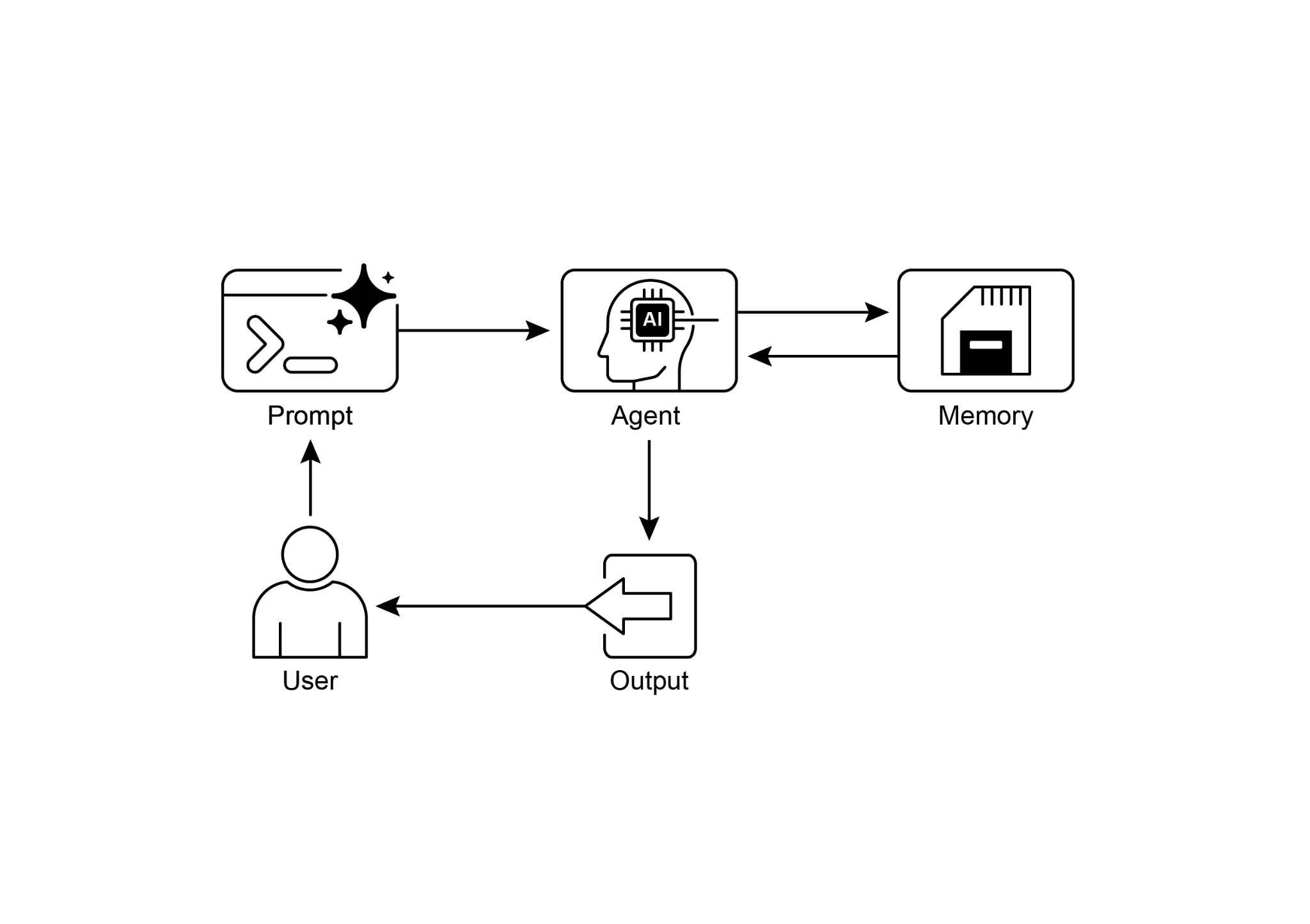
Fig.1: Memory management design pattern
图 1:记忆管理(Memory Management)设计模式
Key Takeaways
要点
To quickly recap the main points about memory management:
- Memory is super important for agents to keep track of things, learn, and personalize interactions.
- Conversational AI relies on both short-term memory for immediate context within a single chat and long-term memory for persistent knowledge across multiple sessions.
- Short-term memory (the immediate stuff) is temporary, often limited by the LLM's context window or how the framework passes context.
- Long-term memory (the stuff that sticks around) saves info across different chats using outside storage like vector databases and is accessed by searching.
- Frameworks like ADK have specific parts like Session (the chat thread), State (temporary chat data), and MemoryService (the searchable long-term knowledge) to manage memory.
- ADK's SessionService handles the whole life of a chat session, including its history (events) and temporary data (state).
- ADK's session.state is a dictionary for temporary chat data. Prefixes (user:, app:, temp:) tell you where the data belongs and if it sticks around.
- In ADK, you should update state by using EventActions.state_delta or output_key when adding events, not by changing the state dictionary directly.
- ADK's MemoryService is for putting info into long-term storage and letting agents search it, often using tools.
- LangChain offers practical tools like ConversationBufferMemory to automatically inject the history of a single conversation into a prompt, enabling an agent to recall immediate context.
- LangGraph enables advanced, long-term memory by using a store to save and retrieve semantic facts, episodic experiences, or even updatable procedural rules across different user sessions.
- Memory Bank is a managed service that provides agents with persistent, long-term memory by automatically extracting, storing, and recalling user-specific information to enable personalized, continuous conversations across frameworks like Google's ADK, LangGraph, and CrewAI.
快速回顾(1/3): 记忆对智能体至关重要,它让系统能够持续跟踪信息、从经验中学习,并提供更贴合用户的交互体验。对话式 AI 通常同时依赖两层记忆:一层是服务于当前会话的短期记忆,另一层是跨会话保留知识的长期记忆。
快速回顾(2/3): 短期记忆是临时的,通常受 LLM 上下文窗口大小以及框架传递上下文方式的限制;长期记忆则借助外部存储跨会话保留信息,并通过检索来访问。以 Google ADK 为例,
Session表示聊天线程,State保存会话级临时数据,MemoryService负责可搜索的长期知识,而SessionService则管理整段会话的生命周期,包括历史事件与临时 state 的持久化。快速回顾(3/3): 在 ADK 中,更新 state 应通过
EventActions.state_delta或output_key完成,而不是直接修改session.state;前缀user:、app:、temp:则用来区分数据作用域与生命周期。LangChain 提供ConversationBufferMemory等工具,便于把单轮对话历史自动注入提示;LangGraph 则通过store支持更高级的长期记忆,可保存语义事实、情景经验,甚至可更新的程序性规则。至于 Memory Bank,则是一种托管式长期记忆方案,可自动抽取、存储并召回用户相关信息,以支撑跨会话的连续性与个性化体验。
Conclusion
结语
This chapter dove into the really important job of memory management for agent systems, showing the difference between the short-lived context and the knowledge that sticks around for a long time. We talked about how these types of memory are set up and where you see them used in building smarter agents that can remember things. We took a detailed look at how Google ADK gives you specific pieces like Session, State, and MemoryService to handle this. Now that we've covered how agents can remember things, both short-term and long-term, we can move on to how they can learn and adapt. The next pattern "Learning and Adaptation" is about an agent changing how it thinks, acts, or what it knows, all based on new experiences or data.
本章系统梳理了智能体系统中的记忆管理:一方面厘清会随会话结束而失效的短期上下文,另一方面讨论需要长期留存、可检索的知识应如何入库与召回,并结合典型框架说明这些抽象在工程实现中是什么样子。我们以 Google ADK 为例,拆解了
Session、State与MemoryService的职责边界。掌握短期与长期记忆的分层思路后,下一章「学习与适应」将进一步讨论:智能体如何依据新数据或新反馈,调整自身的推理策略、行动方式或内部知识。
References
- ADK Memory, https://google.github.io/adk-docs/sessions/memory/
- LangGraph Memory, https://langchain-ai.github.io/langgraph/concepts/memory/
- Vertex AI Agent Engine Memory Bank, https://cloud.google.com/blog/products/ai-machine-learning/vertex-ai-memory-bank-in-public-preview